
Transitioning to ColdFront#
As of June 26, 2026, all Northwestern researchers have access to ColdFront , a platform that allows researchers to request and manage resources on Quest. All existing Quest allocation information has been migrated to ColdFront. From ColdFront, you can see all of the resources you have access to and their upcoming expiration dates.
What’s Changed#
All resource requests, renewals, and user management now happen through ColdFront. The previous allocation request and renewal forms are no longer in use.
ColdFront requires a few changes to the Quest allocation terminology and request process. The most significant changes are:
Users with access to a compute resource automatically receive scratch space. No need to request scratch space separately.
Quest allocations will now be referred to as “Projects” in ColdFront.
Compute access and storage are managed as separate resources.
General Access and Priority Access resources can exist under the same Project.
Project Sponsors, Project Leads, and Project Managers add and remove users directly in ColdFront. Users must contact a Project Sponsor, Project Lead, or Project Manager to gain access to existing Quest resources.
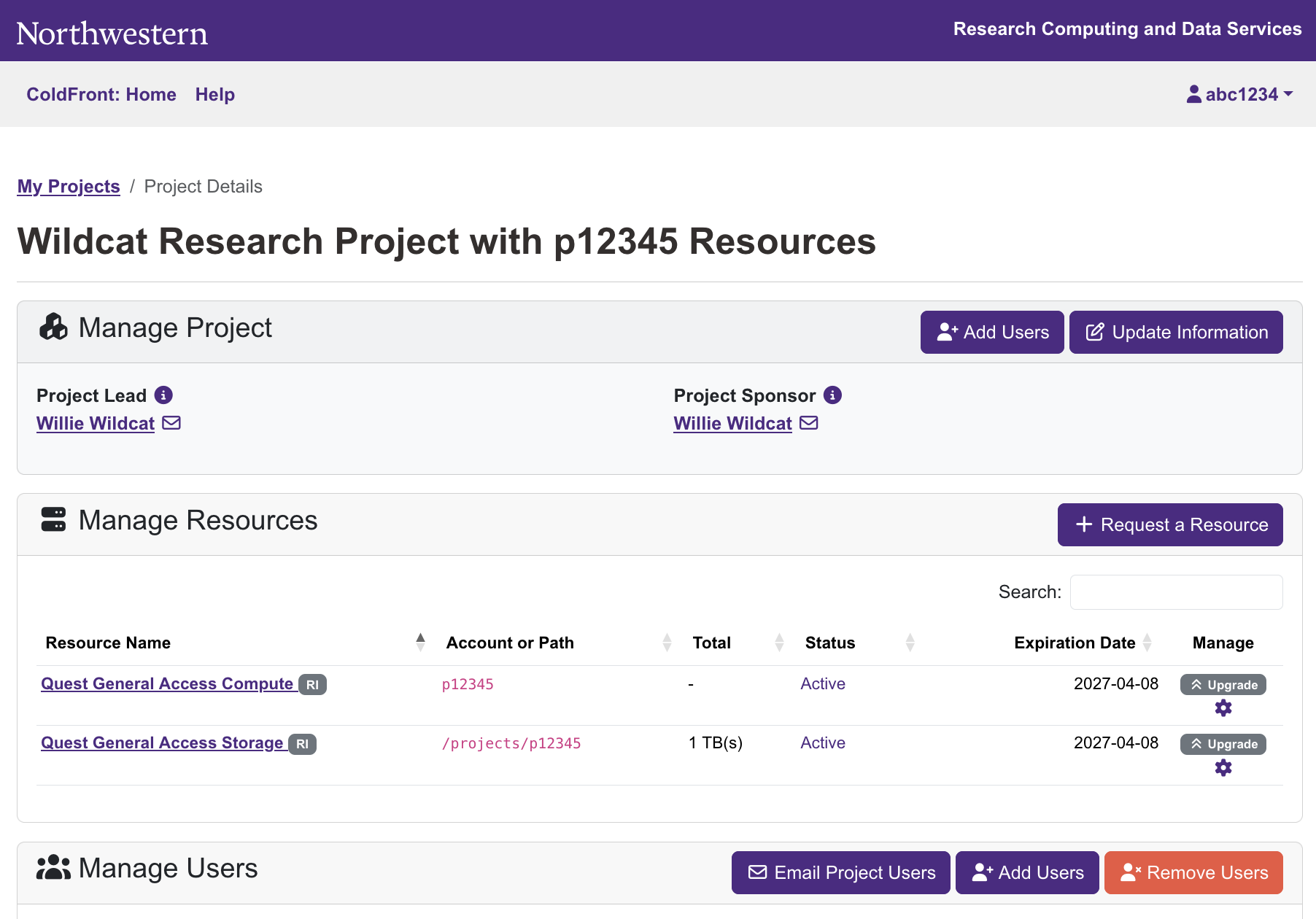
Research II upgrade requests will be reviewed on a rolling basis instead of at quarterly deadlines. Use the gray “Upgrade” button next to General Access resources on your Project page to request an upgrade.
Existing Allocation Imports#
All of your existing Quest resources and allocation information have been automatically imported into ColdFront. If your resources are active, you do not need to take any action to keep using them. You can review your existing Project(s) and resource(s) in ColdFront .
Allocation PIs were mapped to Project Sponsors and allocation managers were mapped to Project Leads. They can assign additional Project Managers to help administer resources and manage user access.
Project titles were automatically generated from the allocation IDs and the allocation PI’s name. The Project title can be edited to better reflect your research or help you organize your resources.
ColdFront Functionality#
ColdFront puts Quest resource management tasks and information all in one place. ColdFront functionality includes:
Project management: Researchers can create new Projects and manage existing Projects through ColdFront.
User management: PIs and ColdFront Project Leads and Managers can add other users to, and remove them from, their Projects and resources directly. Changes to user access will take effect on Quest within one day.
Resource management: Computing and storage resources are managed per Project in ColdFront.
Resource requests: All computing and storage resource requests can be done from a “Request a Resource” button instead of navigating multiple forms.
Resource renewals: Resources are highlighted when it’s time to renew them; renewal requests are submitted directly in the platform.
Purchase history: An itemized purchase history is provided for all Priority Access resources, with expiration dates and details listed for each storage or node purchase.
ColdFront Layout#
ColdFront is accessed via a web browser. Access from off-campus must use the Northwestern VPN.
Landing Page#
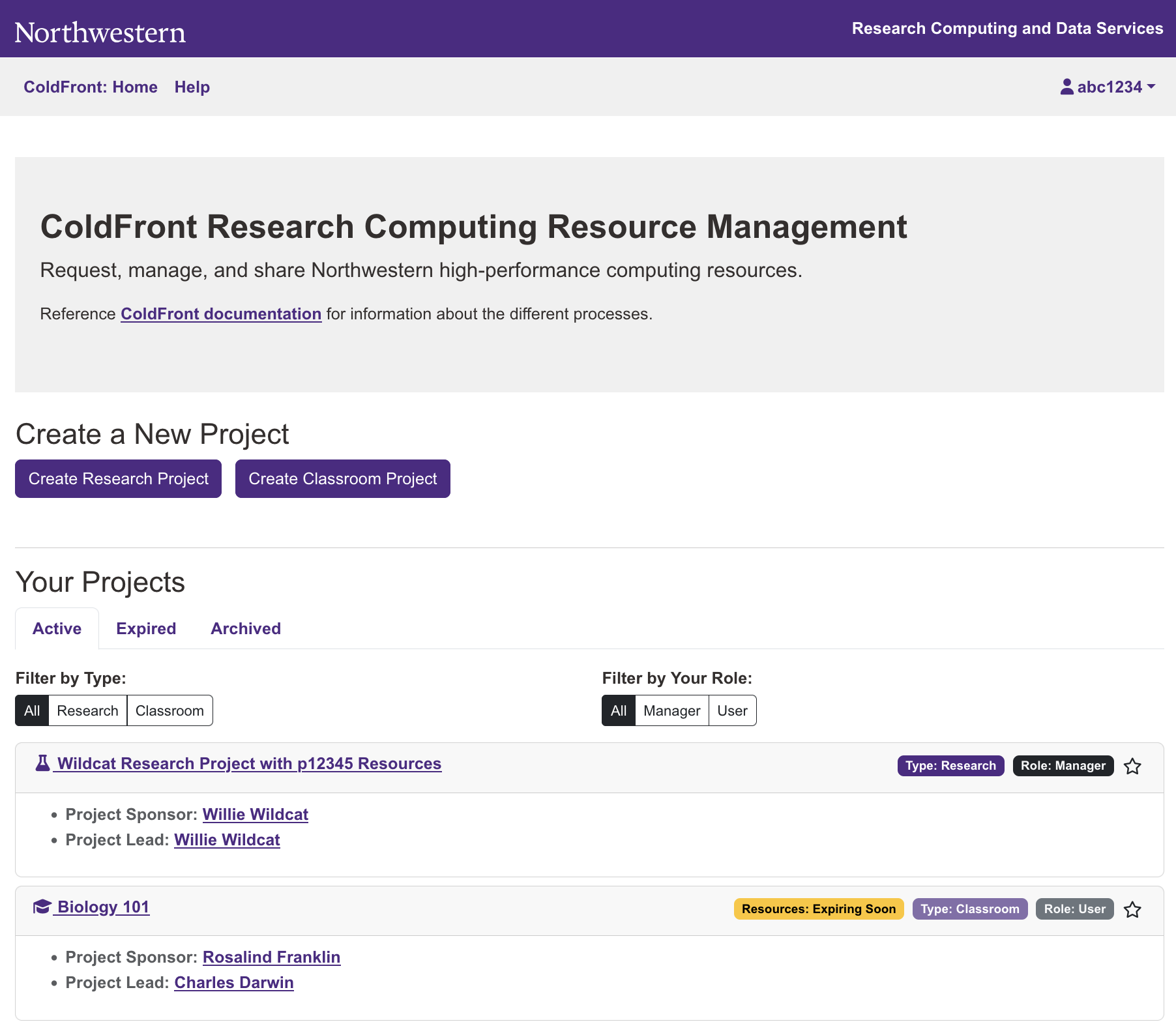
When you log in to ColdFront, you will see a landing page that lists all of the Projects you are a member of. The main page also gives you the option to create a new Project. “Project” is the new term for what was previously referred to as a Quest “allocation.” All existing Quest allocations have been mapped to new Projects in ColdFront.
Project Page#
Clicking on the name of a Project on the landing page will take you to a Project page that displays the details for that Project. If you have a management role with the Project, this page will allow you to make administrative changes for the Project such as adding and removing users, requesting new resources, upgrading or renewing resources, changing the name of the Project, and changing user roles for the Project.
If you do not have a management role, the Project page will display the names of the Project Sponsor, Project Lead, and any Project Managers, and list the resources available with their expiration dates.
Why Is It Called ColdFront?#
ColdFront was developed by the University at Buffalo Center for Computational Research. The name is a nod to Buffalo’s infamous weather. ColdFront is now used by many universities.
Learn More#
If you have any questions about these changes, please attend office hours with the Research Computing Support team either in Evanston or in Chicago , or consider scheduling a ColdFront Onboarding session for your lab group .