This guide describes how to fix common issues with Globus. If you don’t see your specific issue here, or still need help after troubleshooting, email globus-help@northwestern.edu .
This section covers how to fix common issues with any Globus collection.
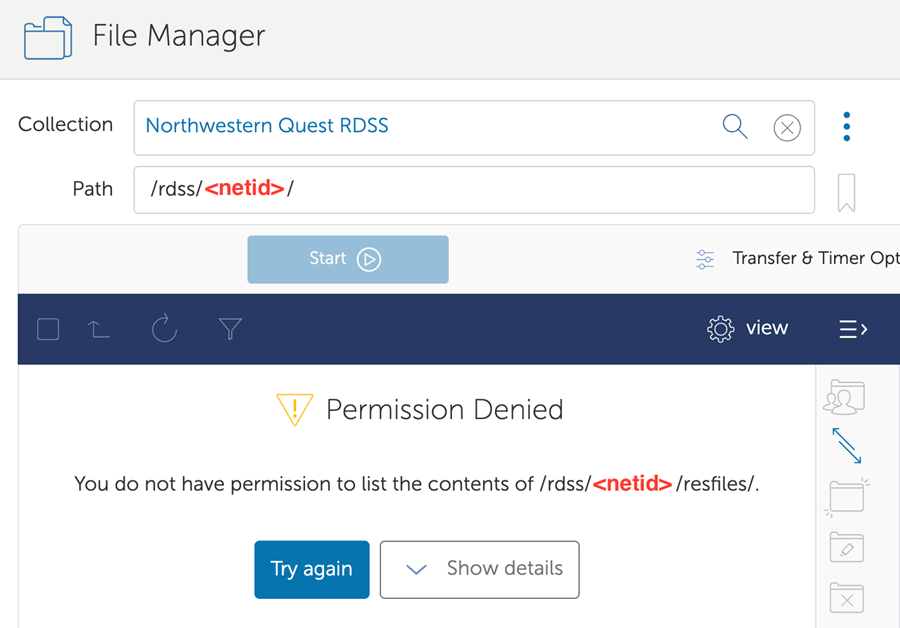
I get a “permission denied” error when I try to access my files.#
Seeing a “permission denied” error when trying to access a file means that Globus does not think you have
permission to see the folder you’re trying to access.
The most common reason for this error is that you don’t have access to the file you’re looking for on the underlying storage system. Check your access to the file on the storage system directly. Then,
If you don’t have access to the file outside of Globus, speak with the person who manages permissions for that file to get access.
If you have access to the file on the storage system, but not in Globus, email globus-help@northwestern.edu for assistance.
This section covers how to resolve common problems with the Northwestern OneDrive/SharePoint - High Assurance collection.
My file transfer fails because of a checksum error when I try to send a Microsoft Office Document to a SharePoint library.#
By default, SharePoint changes the metadata on Microsoft Office files when they
are moved into a SharePoint library. This change to the metadata changes
the file checksum that Globus relies on to check file integrity. Here
are two options to resolve this issue:
Deactivate the checksum verification feature: This is the
simplest way to work around this issue, however you risk missing
file integrity problems that are unrelated to SharePoint changing
the file metadata. We do not recommend using this option if you are
transferring large files, large batches of files, or files other than Microsoft Office documents such as Word and Excel files.
To deactivate checksum verification:
Click on Transfer & Timer Options in the middle of the Globus File
Manager window.
Check the box next to “do NOT verify file integrity after
transfer.”
Your transfer should then complete without the checksum error.
Turn off the SharePoint feature that changes the metadata: This
process has to be done using the SharePoint API by an administrator.
Please contact globus-help@northwestern.edu with the subject “SharePoint Globus checksum error” for help with this process.
I can’t see a SharePoint Library I have access to in the Globus web interface.#
If you do not see a SharePoint library you have access to in the Shared
Libraries folder, please check that you are following that SharePoint site by
clicking the star in the upper right hand corner of the site box in the list of SharePoint sites to which you have access ; the star is filled in for sites you are following.
If you are following the site and still don’t see it in Shared Libraries:
Make sure that the SharePoint site you are following has a document library
that contains files.
Try unfollowing and refollowing the SharePoint site.
If none of these strategies work, email globus-help@northwestern.edu
with the subject “Can’t see SharePoint library in Globus,” and we will
help you troubleshoot the issue further.